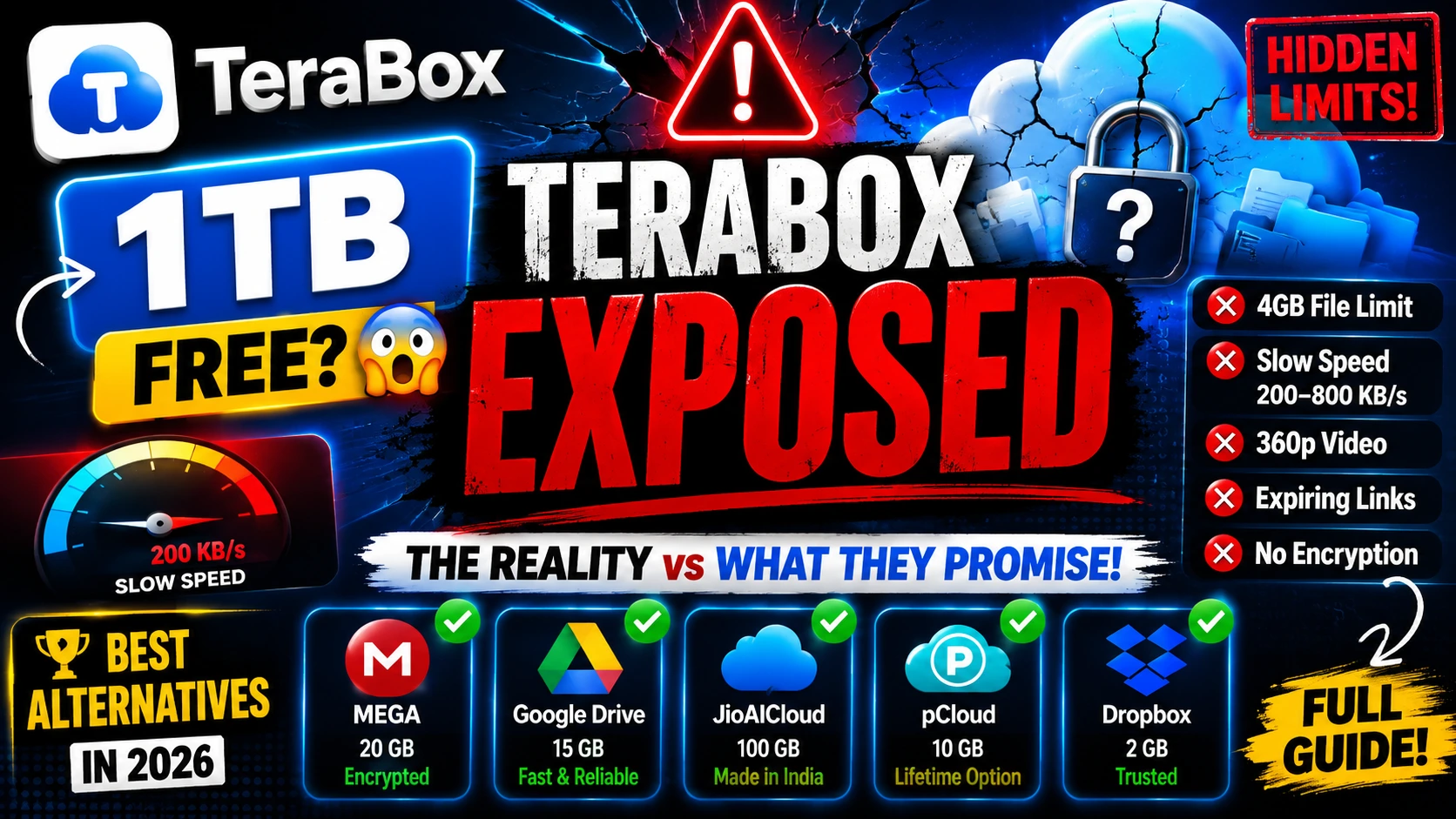
The advertisement is striking in its simplicity: one terabyte of cloud storage, completely free. No credit card required. No trial period. Just one full terabyte — an amount that, as recently as 2015, would have cost a serious professional photographer hundreds of dollars per year. TeraBox, owned by Flextech Inc., has built an audience of tens of millions of users on the back of this claim. The question this piece sets out to answer is straightforward: is it actually true?
After reviewing 28 independent sources, running through technical documentation, and cross-referencing user complaints with official policy pages, the answer is nuanced but essentially damning for anyone with moderate-to-heavy storage needs. The 1 TB is technically allocated to your account. But a labyrinth of hidden restrictions — speed throttling, file size caps, video compression, expiring share links, and serious privacy questions — transforms what looks like a feast into something considerably more meager in practice.
This article covers two things: first, a forensic examination of every restriction buried in the TeraBox free plan; second, a comprehensive guide to the best alternatives on the market in 2026, broken down by use case. Whether you are a student, a freelancer, a privacy-conscious professional, or simply someone who stores a lot of video, there is a better option for you — and this guide will help you find it.
TeraBox's 1 TB free storage is real but practically limited to around 80 GB of usable space due to a 4 GB file-size cap, crippling speed throttling (200–800 KB/s), 360p video playback, expiring share links, and zero encryption. For most users, MEGA (20 GB, encrypted), Google Drive (15 GB, fast), or India's JioAICloud (100 GB, local servers) are far superior alternatives — even at lower stated storage totals.
Part I: The TeraBox Free Plan — A Forensic Breakdown
Let us begin with the headline figure. TeraBox does, in fact, allocate 1,024 gigabytes to every free account upon signup. This is not a lie. But allocated storage and usable storage are two entirely different things, and TeraBox is careful never to explain the distinction in its marketing materials.
The 4 GB File Cap: The First Wall You Will Hit
The single most consequential restriction on the TeraBox free plan is the 4 GB per-file upload limit. For context: a single 4K video shot on a modern smartphone can easily exceed 6–12 GB. A RAW image burst from a mirrorless camera can run to 2–3 GB per shoot. An ISO disc image, a large software installer, or a compressed backup archive routinely exceeds 4 GB. For anyone dealing with professional media, software development, or data archiving, this restriction alone renders TeraBox's headline storage figure essentially meaningless.
Independent analyses have estimated that the 4 GB cap, combined with the types of files most users actually want to store at scale, reduces practical usable storage to roughly 80 GB for typical use patterns — one-twelfth of the advertised figure. TeraBox has never published this number. They do not need to; they simply do not mention the file size cap in their primary marketing.
Speed Throttling: Where the Service Becomes Genuinely Unusable
If the file size cap is the first wall, speed throttling is the second — and for many users, the more immediately frustrating one. Free TeraBox accounts are throttled to download speeds of 200 to 800 kilobytes per second. To understand what this means in practice: downloading a 1 GB file at 800 KB/s takes approximately 21 minutes. At the lower end of 200 KB/s, that same file takes over 85 minutes. A 4 GB file — the maximum uploadable size — would take between 1.5 and 6 hours to download.
Upload speeds are similarly capped, and simultaneous uploads are completely disabled on the free plan. If you have a folder of 50 files to back up, you will upload them one at a time, each subject to the speed cap. For users in regions with fast home internet connections, the irony is cruel: your 100 Mbps fibre line will sit idle while TeraBox trickles your data at dial-up-adjacent speeds.
Video Playback: Compressed Into Irrelevance
TeraBox markets itself as a media storage platform. The app features a built-in video player, and the promotional materials are filled with imagery of movies and family videos. What the marketing does not tell you is that the free plan caps in-browser video playback at 360p to 480p, with the source video automatically compressed on TeraBox's servers.
This is not merely a streaming-quality limitation. TeraBox processes and re-encodes the video, meaning that when you watch content through the TeraBox player, you are not watching your original file — you are watching a degraded copy. For archiving home videos or professional footage, this should be disqualifying. TeraBox does not publish this compression ceiling in its public-facing documentation; the figure comes from independent reviewer testing across multiple sources.
Sharing Links: The Seven-Day Time Bomb
Perhaps the most surprising limitation for new users is the share link expiration policy. When a free TeraBox user creates a sharing link and sends it to a colleague, client, or friend, that link is valid for exactly seven days. After one week, the link stops working. The file remains safely in the sender's account, but anyone clicking the link after the expiration sees an error.
For casual one-time transfers, this is manageable. For anyone maintaining a repository of shared assets — a design agency sharing project files with clients, a teacher sharing course materials with students, a developer sharing installers — it is completely unworkable. Every link must be regenerated weekly, indefinitely. No mainstream competitor imposes this restriction on its free tier.
Additional Restrictions: The Full Picture
-
🗑️
Recycle Bin: 10-Day Retention Only Deleted files are permanently erased after 10 days. Most competitors offer 30 days or longer.
-
📤
No Simultaneous Uploads One file at a time, always. Batch uploads are a premium-only feature.
-
🔒
Personal Vault: 200 MB Maximum The encrypted "vault" folder is limited to 200 MB on the free plan — effectively useless for serious secure storage.
-
📺
No Automatic Video Backup Auto camera roll backup — standard on Google Photos and iCloud — is a paid feature on TeraBox.
-
📦
No Cloud Decompression Extracting ZIP or RAR archives directly in the cloud (without downloading) requires a premium subscription.
-
📢
Persistent, Aggressive Advertising The free app surfaces frequent in-app advertisements. Multiple independent security researchers have flagged suspicious ad network domains in the app's network traffic.
Part II: The Privacy Question — And Why It Matters More Than You Think
Storage capacity and speed are the features users care about day-to-day. But for anything sensitive — work documents, personal photos, financial records, creative work — the question of who can access your files is equally important.
TeraBox presents a genuinely complicated privacy profile, and the company has not been transparent enough to resolve the complications cleanly.
The Ownership Structure
TeraBox is developed and operated by Flextech Inc., which is registered in Japan. This is how the service presents itself internationally. However, Flextech has well-documented financial and technological ties to Baidu — China's largest search and technology conglomerate. Baidu is subject to China's 2017 National Intelligence Law, which obligates Chinese companies to cooperate with state intelligence operations upon request. Whether this obligation extends to Flextech's Japan-registered entity and non-China-stored data is a legal question that has not been definitively answered in public.
"TeraBox does not clearly disclose where user data is physically stored. For any file you would hesitate to email to a stranger, that ambiguity alone should be reason enough to look elsewhere."
What is unambiguous is that TeraBox lacks zero-knowledge encryption — the gold standard in cloud privacy, where files are encrypted on the client device before being uploaded, so the storage provider can never read their contents. Without zero-knowledge encryption, TeraBox can, in theory, access every file stored in every account. Whether or not they exercise this capability is beside the point: you are trusting a company with opaque ownership to protect your data.
India and the App Ban Risk
Indian users face an additional specific risk. Between 2020 and 2023, the Indian government banned hundreds of Chinese-linked apps under Section 69A of the Information Technology Act, citing data security concerns. TeraBox has existed in a grey zone during this period. Users who build workflows around a service that may be abruptly banned — as TikTok, PUBG Mobile, and dozens of other apps were — face the prospect of losing access to their stored files without warning. This is not a theoretical concern; it has happened to users of other services in this category.
Part III: The Alternatives — A Complete 2026 Guide
Having established what TeraBox is and is not, we can now turn to what the market actually offers. The following section covers ten alternatives across three categories: mainstream providers optimized for ecosystem integration, privacy-focused services built around encryption by design, and options specifically relevant to users in India and South Asia.
Category 1: Mainstream Alternatives
Google Drive — The Everyday Standard
Google Drive remains the most practical free cloud storage option for the majority of users worldwide. Its 15 GB free tier — shared across Gmail, Google Photos, and Drive itself — is smaller than TeraBox's headline figure but incomparably more functional. Upload and download speeds are unthrottled; independent speed tests in 2025 recorded a 5 GB folder uploading in approximately seven minutes. File sharing generates permanent links with granular permission controls (view, comment, edit), and shared files remain accessible indefinitely unless manually revoked.
The Google Workspace integration — real-time collaboration in Docs, Sheets, and Slides, directly within the browser — is something no independent cloud storage provider has replicated at the same quality level. For anyone already embedded in the Google ecosystem (Android phone, Gmail account, Chrome browser), Drive is the path of least resistance.
Its principal weakness is privacy. Google's business model is predicated on data, and while the company encrypts files at rest and in transit, it does not offer zero-knowledge encryption. Google can, in principle, access the contents of files stored on Drive — and its privacy policy permits analysis of content for product improvement and advertising purposes. For sensitive professional work, this is a material concern. Worth noting: reports in early 2026 suggest Google is testing a reduced 5 GB default for new accounts in select regions, with phone verification required to unlock the full 15 GB. This has not been globally confirmed.
Microsoft OneDrive — The Windows User's Default
OneDrive's free tier offers only 5 GB — the smallest among major providers — making it a weak standalone option. Where it shines is as a native component of the Windows 11 and Microsoft 365 ecosystems. Files in OneDrive appear directly in Windows Explorer, sync automatically without any additional software, and integrate seamlessly with Word, Excel, and PowerPoint.
For students in India and elsewhere, OneDrive becomes dramatically more attractive: many universities — including the IITs, NITs, and institutions partnered with Microsoft 365 Education — provide students with 1 TB of OneDrive storage completely free through their institutional accounts. Students who have not checked whether their institution offers this should do so immediately; it may be the best free storage deal they will ever receive.
Dropbox — The Best Sync, the Worst Free Tier
Dropbox's reputation for reliability and seamless cross-device synchronisation is well earned — it effectively invented the modern cloud sync paradigm. However, its 2 GB free plan is no longer defensible in 2026. Two gigabytes covers roughly 400 high-resolution photographs or a handful of video clips. As a primary storage solution, it is inadequate. As a sync tool for a small set of actively-worked files that need to stay current across multiple devices, it remains best-in-class. For storage, look elsewhere.
Category 2: Privacy-First Alternatives
MEGA — The Best Balance of Storage and Security
MEGA is the most generous privacy-focused cloud storage service on the market, offering 20 GB of permanent free storage with mandatory zero-knowledge end-to-end encryption on every file. Founded by Kim Dotcom and now headquartered in New Zealand, MEGA operates outside US and European data jurisdictions — a fact that appeals to users with specific international concerns.
Every file uploaded to MEGA is encrypted on your device before it leaves your computer or phone. MEGA's servers receive and store only encrypted ciphertext; the decryption keys never leave your control. This means MEGA literally cannot read your files, regardless of any legal or governmental pressure.
The principal limitation of the free tier is a daily transfer quota of approximately 5 GB. Exceed it — through heavy uploading, downloading, or streaming — and your account enters a temporary "speed limited" or paused state until the quota resets. For users who treat cloud storage as an archive rather than an active streaming library, this cap is rarely encountered. For heavy daily users, it can become a genuine friction point. Paid plans remove the quota entirely.
Proton Drive — The Gold Standard in Privacy
If MEGA represents the best balance of privacy and storage quantity, Proton Drive represents the best balance of privacy and trustworthiness. The service is operated by Proton AG — the Swiss company behind ProtonMail, long considered the most credible name in private communications. Switzerland's robust privacy laws, combined with Proton's institutional commitment to user privacy (the company publishes transparency reports, has resisted data requests, and open-sources its clients), give Proton Drive a level of credibility that no other consumer cloud storage provider can match.
Every file is end-to-end encrypted by default — there is no option to disable this. The free plan provides 5 GB of storage, which is modest, but shared links include optional password protection and expiry date controls even on the free tier — a capability that TeraBox reserves exclusively for premium subscribers. Proton Drive integrates with Proton Mail and Proton VPN, making it the natural centre of a privacy-first digital life.
The limitation is simply storage quantity: 5 GB fills up quickly for anyone storing more than a few hundred photographs or a handful of documents. Paid plans start at €3.99/month for 200 GB.
pCloud — The Most Flexible Long-Term Option
pCloud, headquartered in Switzerland, occupies a distinctive position in the market: it is the only major cloud storage provider that offers lifetime pricing — a one-time payment (typically $199 for 500 GB, or $399 for 2 TB during promotional periods) that grants permanent access with no recurring subscription. For users who plan to use cloud storage for many years, the long-term economics are compelling.
The free plan starts at 2 GB and expands to 10 GB through referrals and completed onboarding tasks. Critically, pCloud imposes no per-file size limits even on its free tier — you can upload a 50 GB file if you have enough storage quota — and speeds are unthrottled. pCloud's encryption add-on (pCloud Crypto) provides zero-knowledge encryption as a separate subscription, which is a less clean implementation than MEGA's approach, but the base product is fast, reliable, and well-regarded.
Filen.io — The Privacy Underdog Worth Knowing
Filen is a German-based, open-source cloud storage service that delivers zero-knowledge end-to-end encryption to all users — including those on the free 10 GB tier. No paywalled encryption, no add-ons, no asterisks. The client applications are open-source and publicly auditable. The service carries no advertising and is built on a straightforward freemium model.
Filen's weakness is relative obscurity — it is a smaller, younger service, and questions of long-term viability are fair to raise. But for technically sophisticated users willing to diversify across providers, it offers a level of verified privacy that established players charge a premium for.
Internxt — Decentralised Storage
Internxt takes a different architectural approach: rather than storing your files on centralised servers, it fragments, encrypts, and distributes them across a decentralised network. The default free tier is 1 GB, expandable to 10 GB through referrals and tasks. Zero-knowledge encryption is standard. The practical trade-off is that decentralised architectures can produce slower or less consistent upload speeds compared to centralised providers — a gap Internxt has been actively working to close through 2025 updates.
Icedrive — For Users With Very Large Files
Icedrive's headline feature is its support for files up to 100 TB in size — an almost absurd upper bound that nonetheless signals the platform's architecture. The free plan provides 10 GB of storage and includes a "virtual drive" feature that maps cloud storage to a local drive letter, making it behave like additional attached storage rather than a separate application. The notable caveat: Icedrive's client-side encryption (which uses the less common but cryptographically sound Twofish algorithm) is restricted to paid tiers. Free users receive encryption in transit and at rest, but not zero-knowledge encryption.
Category 3: India and South Asia — Specific Recommendations
Users in India face a specific set of considerations that international cloud storage reviews rarely address adequately: server proximity and latency, data sovereignty under the Digital Personal Data Protection (DPDP) Act of 2023, affordable pricing given local income levels, and the risk of app bans affecting Chinese-linked services.
JioAICloud — The Best Free Cloud Storage in India, Full Stop
JioAICloud is the most compelling recent development in the Indian cloud storage market. Launched by Reliance Jio in 2024–2025, it offers 100 GB of free storage to verified Jio subscribers, with servers physically located in Gujarat, India. For Indian users, this translates to the lowest possible latency and the fastest available upload and download speeds — typically outperforming international services by a substantial margin on Indian connections.
From a regulatory standpoint, JioAICloud is fully compliant with India's DPDP Act and MeitY data localisation guidelines. Data stored with JioAICloud is subject to Indian law, not Chinese or American law. For Indian professionals, government employees, or anyone handling documents governed by Indian data protection requirements, this matters. The one limitation is access: the 100 GB free tier is currently available to Jio subscribers and may not be accessible to users on other networks.
DigiBoxx — The Indian-Made Alternative
DigiBoxx is an Indian cloud storage service built explicitly to serve the domestic market, MeitY-approved, and supporting Indian regional languages. Its free tier is limited, but paid plans start at ₹30 per month — making it the most affordable structured cloud storage option for Indian users who want local data residency. For small businesses, freelancers, and NGOs operating under Indian regulatory frameworks, DigiBoxx offers a compelling combination of compliance, affordability, and domestic support infrastructure.
A Note for Students
If you are a student at an Indian institution affiliated with Microsoft's education programme — which includes many of the IITs, NITs, central universities, and an increasing number of state institutions — you are likely entitled to 1 TB of OneDrive storage completely free through your institution's Microsoft 365 Education subscription. Many students remain unaware of this benefit. Contact your IT department or check your institutional email portal. Between institutional OneDrive (1 TB) and Google Drive (15 GB personal account), a student can access more than 1 TB of genuinely fast, reliable, major-vendor cloud storage without spending a rupee.
Part IV: The Master Comparison Table
Every service examined in this review, compared across the dimensions that matter most to real users.
| Service | Free Storage | Max File Size | Speed (Free) | Privacy / Encryption | Share Links | Best For |
|---|---|---|---|---|---|---|
| TeraBox | 1 TB (~80 GB usable) | 4 GB | 200–800 KB/s | No E2EE | 7-day expiry | Archiving only |
| JioAICloud | 100 GB | — | Unthrottled | DPDP Compliant | Permanent | India users |
| MEGA | 20 GB | Unlimited | Good (quota) | Zero-knowledge | Permanent | Privacy + Storage |
| Google Drive | 15 GB | 5 TB | Fastest | Encrypted, not E2EE | Permanent | Ecosystem users |
| pCloud | 10 GB | Unlimited | Unthrottled | E2EE optional (paid) | Permanent | All-rounder |
| Filen.io | 10 GB | Unlimited | Good | Zero-knowledge (free) | Permanent | Privacy on budget |
| Icedrive | 10 GB | 100 TB | Good | E2EE paid only | Permanent | Very large files |
| Internxt | 1–10 GB | Unlimited | Moderate | Zero-knowledge | Permanent | Decentralised |
| Proton Drive | 5 GB | Unlimited | Good | Best-in-class E2EE | Password + Expiry | Maximum privacy |
| OneDrive | 5 GB (1TB via college) | 250 GB | Unthrottled | Encrypted, not E2EE | Permanent | Windows / Students |
| Dropbox | 2 GB | Unlimited | Unthrottled | Encrypted, not E2EE | Permanent | Team sync |
| DigiBoxx | Limited free | — | Good | MeitY compliant | Permanent | Indian businesses |
Part V: Recommendations by Use Case
The right cloud storage depends on what you are actually storing and why. Here are direct, unambiguous recommendations.
Nothing in the Indian market comes close: 100 GB free, servers in India, fastest local speeds, DPDP compliant. If you are a Jio subscriber, this is your first stop.
- ✓ 100 GB free
- ✓ Fastest India speeds
- ✓ Local data law
- ✕ Jio users only
- ✕ Newer service
Swiss jurisdiction, mandatory zero-knowledge encryption on every file, trusted reputation built over a decade with ProtonMail. No better-verified option exists for sensitive files.
- ✓ Mandatory E2EE
- ✓ Swiss law protection
- ✓ High trust brand
- ✕ Only 5 GB free
- ✕ Ecosystem limited
The only major provider offering 20 GB of free encrypted storage. Zero-knowledge by default. The daily transfer quota is the only real trade-off.
- ✓ Most free E2EE space
- ✓ True zero-knowledge
- ✓ No file size cap
- ✕ ~5 GB daily quota
- ✕ Speed limited limit
Unbeatable ecosystem, fastest upload speeds, real-time collaboration, no throttling. The practical choice for anyone on Android or Chrome.
- ✓ Fastest speed
- ✓ Best collab tools
- ✓ 15 GB standard
- ✕ Not zero-knowledge
- ✕ Data mining model
Check with your college IT department. IIT, NIT, and many other institutions offer 1 TB of OneDrive storage completely free through Microsoft 365 Education.
- ✓ 1 TB free storage
- ✓ Office 365 access
- ✓ Native Windows sync
- ✕ Needs college email
- ✕ Expires on graduation
Pay once (~$199–$399), own your storage forever. No monthly bills. Swiss-based, fast, no file size limits. The smartest paid investment in cloud storage in 2026.
- ✓ One-time fee model
- ✓ Swiss privacy base
- ✓ No size limits
- ✕ Crypto E2EE costs extra
- ✕ High upfront cost
Part VI: Is TeraBox Premium Worth Paying For?
At $3.49 per month (on a quarterly plan), TeraBox Premium is priced well below comparable Western alternatives. The upgrade genuinely transforms the service: file upload limits jump from 4 GB to 20 GB, download speeds become unthrottled, simultaneous uploads are enabled, video playback upgrades to HD/4K, in-app advertising disappears, Personal Vault expands to 2 TB, and share links no longer expire.
The case against upgrading is equally clear: the privacy concerns do not change with a premium subscription. Your files remain unencrypted by zero-knowledge standards, the ownership opacity persists, and the data residency question is unresolved. At $3.49/month — approximately ₹290 — you can instead purchase Google One's 100 GB plan (₹130/month in India) and direct the remainder toward a Proton Drive 200 GB plan, giving you a privacy-respecting, faster, better-supported storage ecosystem at a comparable price.
Conclusion
TeraBox is not a scam. The 1 TB is allocated. The service works. But it is designed around a fundamental trade: you receive enormous nominal storage in exchange for accepting severe speed restrictions, aggressive advertising, no meaningful encryption, and opaque data practices. This is a trade that many users — particularly those who do not scrutinise the fine print — are making without full information.
For the vast majority of users reading this, a superior alternative exists. Indian users should look immediately to JioAICloud (100 GB free, local servers) or MEGA (20 GB free, encrypted). Students should verify whether their institution offers free OneDrive through Microsoft 365 Education. Users prioritising privacy should use Proton Drive (gold standard) or Filen.io (zero-knowledge, free). Users who want the best all-round free experience without privacy concerns should simply use Google Drive.
Cloud storage is one of the few categories of software where the best options are largely free. The existence of TeraBox's 1 TB headline is a marketing achievement; it is not a reason to use the service.
Sources & References
- Cloudwards — TeraBox Review 2026: Is 1TB Free Cloud Storage Legit? — cloudwards.net
- iTeraPlay Blog — TeraBox Free Plan: The Complete Truth in 2026 — iteraplay.in
- TeraMod — TeraBox Features & Free Plan Limitations — teramod.com
- TechRadar — TeraBox Cloud Storage Review — techradar.com
- MakeUseOf — I Got 1TB of Free Cloud Storage, Then Deleted It After One Day — makeuseof.com
- ultraterabox.com — TeraBox Cloud Storage Key Features & Review
- 9to5Google — Google Account Free Storage Changes — 9to5google.com
- Cloudwards — Best Free Cloud Storage 2025 — cloudwards.net
- Microsoft — OneDrive Free Cloud Storage — microsoft.com
- Drime Cloud — Best Cloud Storage for Students India 2025 — drime.cloud
- Cloudwards — MEGA Cloud Storage Review 2026 — cloudwards.net
- MEGA — Official website — mega.io
- Dropbox — What is Dropbox Basic? — help.dropbox.com
- Cloudwards — pCloud Review 2025 — cloudwards.net
- pCloud — Pricing & Plans — pcloud.com
- Proton — Proton Drive — proton.me
- RestorePrivacy — Best Secure Cloud Storage 2025 — restoreprivacy.com
- Techimply — Best TeraBox Alternatives in India — techimply.com
- 10PB.com — Cloud Storage Pricing in India 2025 — 10pb.com
- TeraBox — Official Pricing Plans — terabox.com
- Internxt — Pricing — internxt.com
- TechRadar — Icedrive Review 2025 — techradar.com
- Filen.io — Official website — filen.io
- Experte.com — Free Cloud Storage Comparison — experte.com
- Tom's Guide — Best Free Cloud Storage 2025: Speed Tests — tomsguide.com
- Drime Cloud — 7 Cloud Storage Services Comparison 2025 — drime.cloud
- Google Support — How Your Google Storage Works — support.google.com
- Lifewire — 17 Best Free Cloud Storage Services — lifewire.com